THM - Linux Strength Training
Task 1: Intro of the room. Task 2:
- What is the correct option for finding files based on group
Answer:
-group - What is format for finding a file with the user named Francis and with a size of 52 kilobytes in the directory /home/francis/
Using find
Answer:
find /home/francis -type f -user francis -size 52k
- SSH as topson using his password topson. Go to the /home/topson/chatlogs directory and type the following: grep -iRl ‘keyword’. What is the name of the file that you found using this command?
After logged in with ssh
ssh topson@10.10.245.14
go to the directory-
cd /home/topson/chatlogs
look for the keyword using grep
grep -iRl ‘keyword’
Answer:
2019-10-11
- What are the characters subsequent to the word you found?
Answer:
ttitor - Read the file named ‘ReadMeIfStuck.txt’. What is the Flag?
Answer:
Flag{81726350827fe53g}
TASK 3:
- Hypothetically, you find yourself in a directory with many files and want to move all these files to the directory of /home/francis/logs. What is the correct command to do this?
Answer:
mv * /home/francis/logs
- Hypothetically, you want to transfer a file from your /home/james/Desktop/ with the name script.py to the remote machine (192.168.10.5) directory of /home/john/scripts using the username of john. What would be the full command to do this?
Answer:
scp /home/james/Desktop/script.py john@192.168.10.5:/home/john/scripts
- How would you rename a folder named -logs to -newlogs
Answer:
mv -- -logs -newlogs
- How would you copy the file named encryption keys to the directory of /home/john/logs
Answer:
cp "encryption keys" /home/john/logs
- Find a file named readME_hint.txt inside topson’s directory and read it. Using the instructions it gives you, get the second flag.
Use find for the file-
find / -name readME_hint.txt 2>/dev/null
then read it with cat
Answer:
Flag{234@i4s87u5hbn$3}
TASK 4:
- Download the hash file attached to this task and attempt to crack the MD5 hash. What is the password?
- After downloading the attached file-
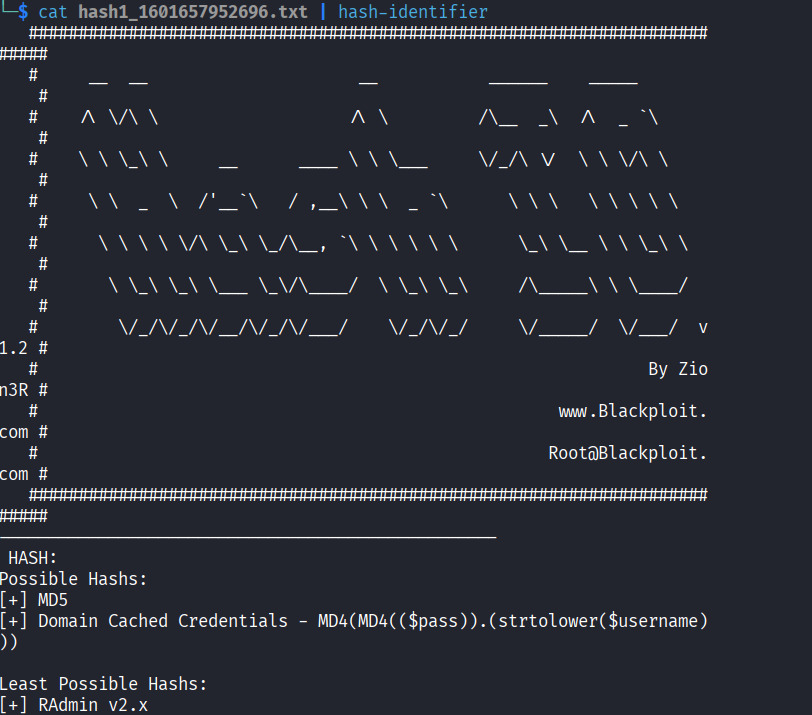 by using
 hash-identifier we can get the type of the hash. Here it’s MD5. We can decrypt this with online tool like iotools.
Answer:
secret123
- SSH as sarah using: sarah@[10.49.157.49] and use the password: rainbowtree1230x What is the hash type stored in the file hashA.txt
after logged-in-
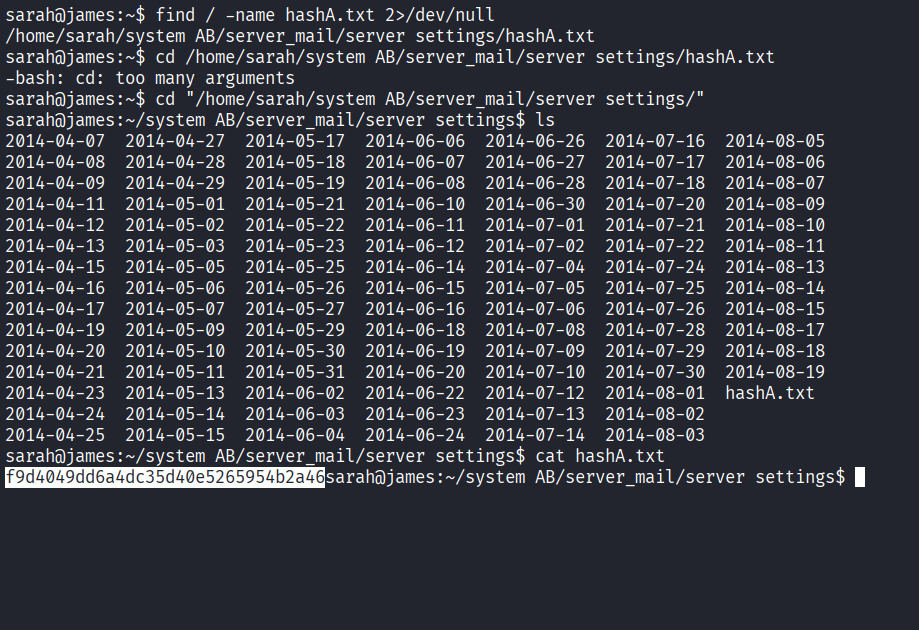 We use
 find to find the file directory. We read the file using cat . using hash-identifier we found out the hash is
MD4.
Answer: MD4
- Crack hashA.txt using john the ripper, what is the password?
john --wordlist=/home/mucker/Downloads/rockyou.txt --format=Raw-MD4 hash.txt
Answer:
admin
- What is the hash type stored in the file hashB.txt
Use
hash-identifier
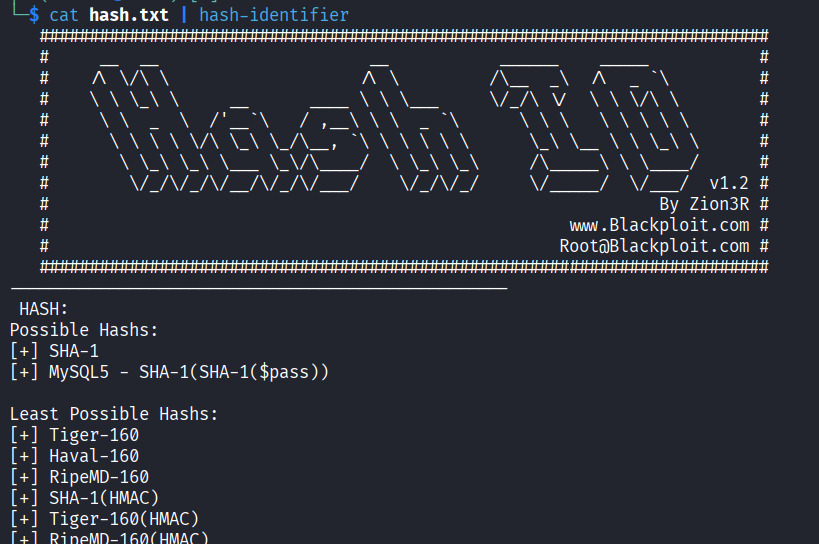
Answer:
SHA-1
- Find a wordlist with the file extention of ‘.mnf’ and use it to crack the hash with the filename hashC.txt. What is the password?
Well use scp to download the .mnf file to our VM machine
scp sarah@10.49.157.49:'/home/sarah/system AB/db/ww.mnf' .
then the file is in the machine, we’ll use john to crack the password-
john --wordlist=/home/mucker/ww.mnf --format=raw-sha1 hash.txt
Answer: unacvaolipatnuggi
- Crack hashB.txt using john the ripper, what is the password?
First find the filehashB.txt
find / -name hashB.txt 2>/dev/null
to crack it with John the ripper we’ll use-
john --wordlist=/home/mucker/Downloads/rockyou.txt --format=raw-sha1 hash.txt
Answer:
letmein
TASK 5:
- what is the name of the tool which allows us to decode base64 strings?
Answer:
base64 - find a file called encoded.txt. What is the special answer?
Use
findto searching for the file-
sarah@james:~$ find / -name encoded.txt 2>/dev/null
/home/sarah/system AB/managed/encoded.txt

sarah@james:~$ cd "/home/sarah/system AB/managed/"

sarah@james:~/system AB/managed$ ls
encoded.txt
now encode the file to a new file called new.txt -
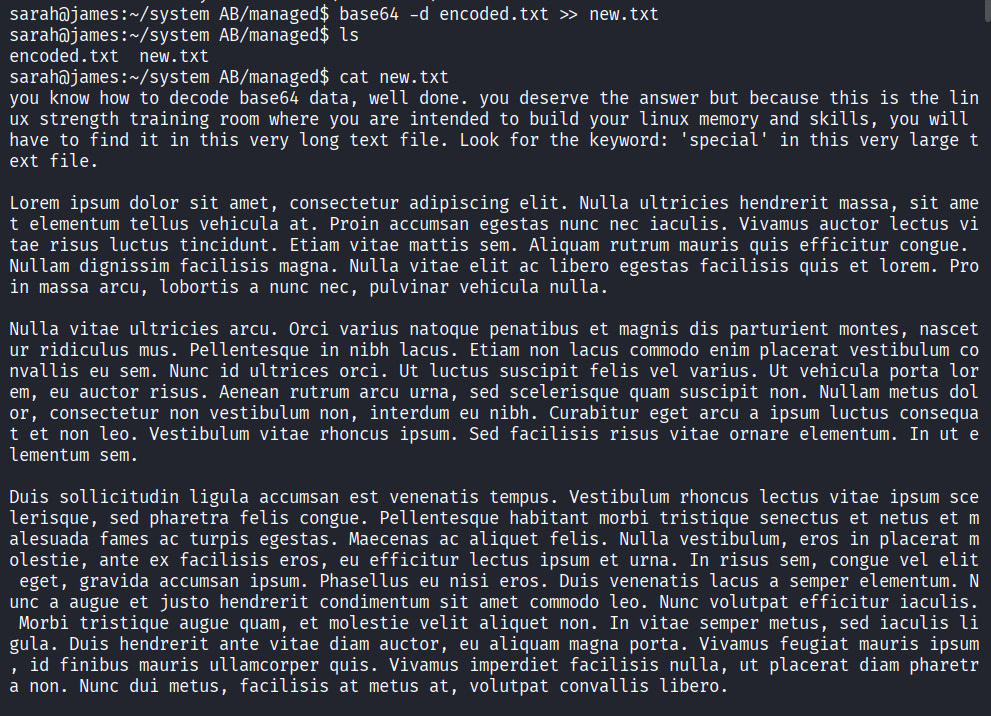
after analyzing this encoded texts we found a hint-
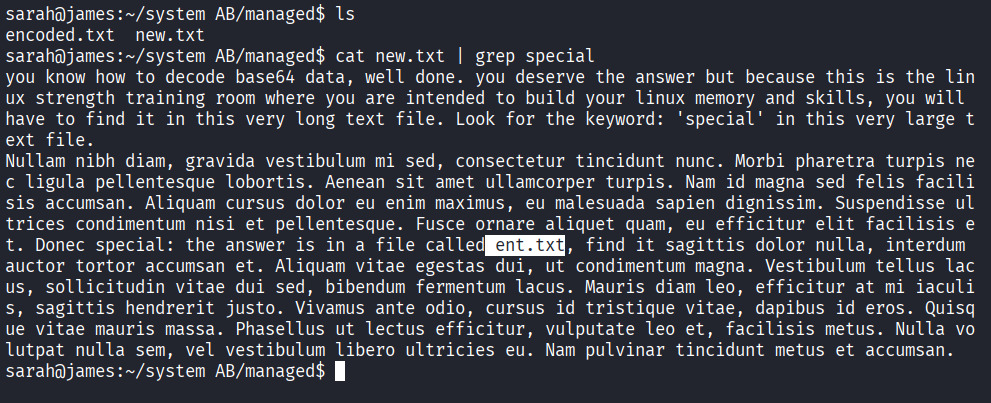
we have to look for ent.txt now-

now lets check the hashes first
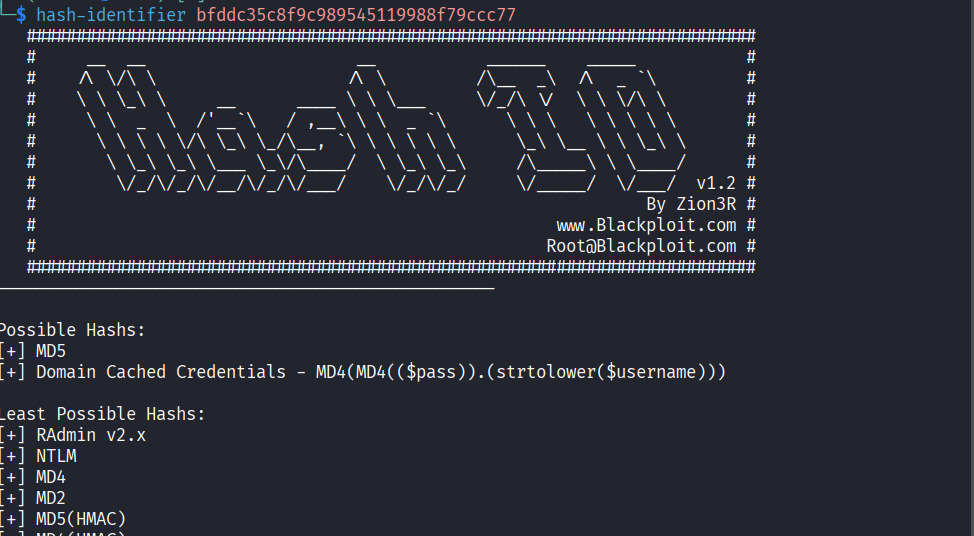
using john the ripper-
 Answer:
 john
TASK 6:
- You wish to encrypt a file called history_logs.txt using the AES-128 scheme. What is the full command to do this?
Answer:gpg --cipher-algo AES-128 --symmetric history_logs.txt - What is the command to decrypt the file you just encrypted?
Answer:
gpg history_logs.txt.gpg
- Find an encrypted file called layer4.txt, its password is bob. Use this to locate the flag. What is the flag?
First look for the file using find
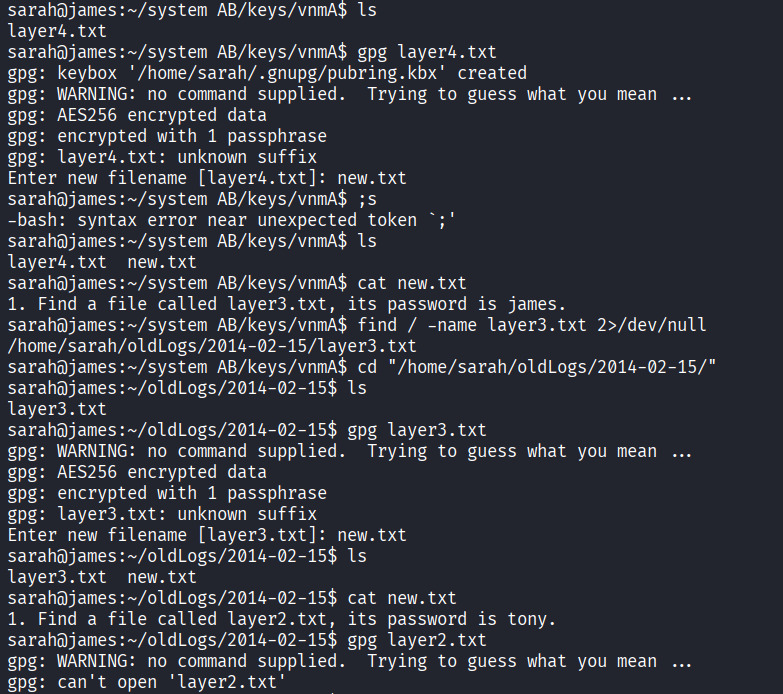
and continues the same process using gpg.
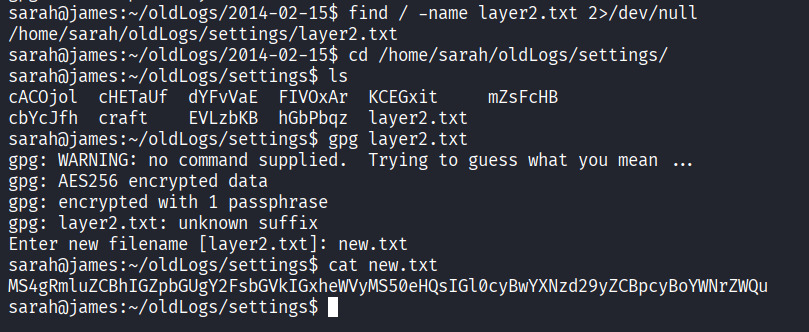
We decode this message using base64 online tool.
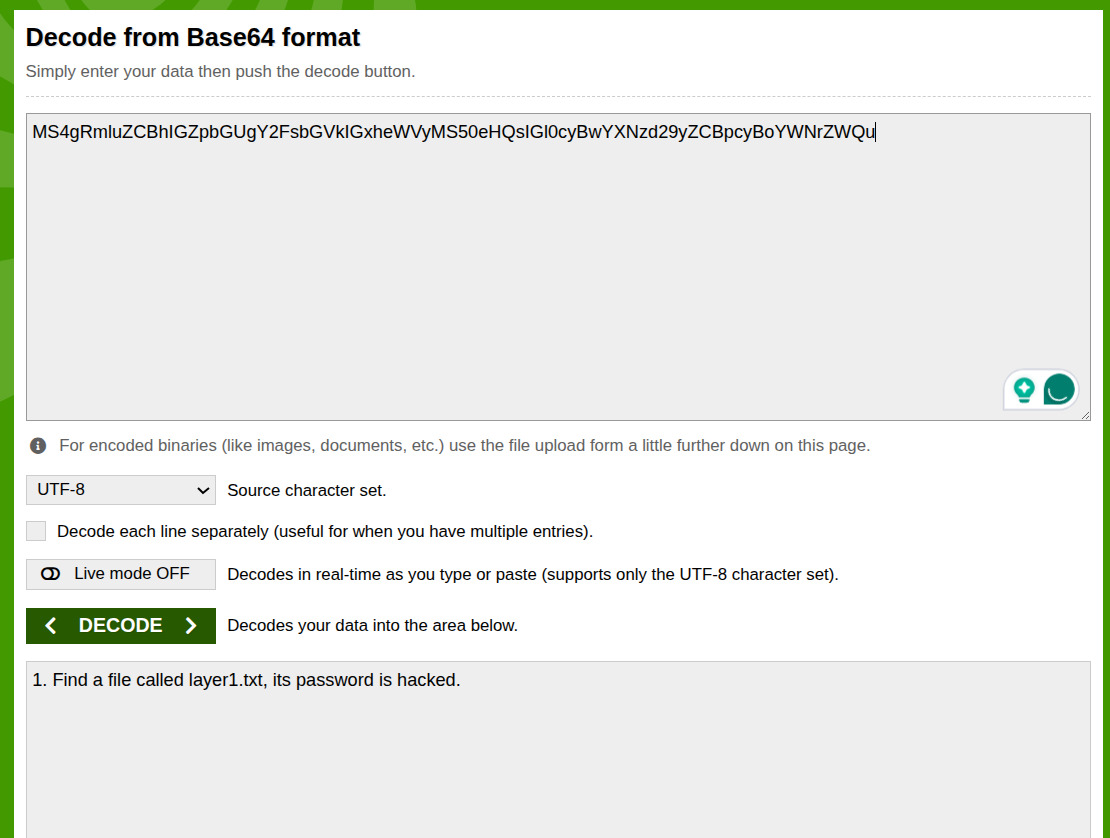
and then
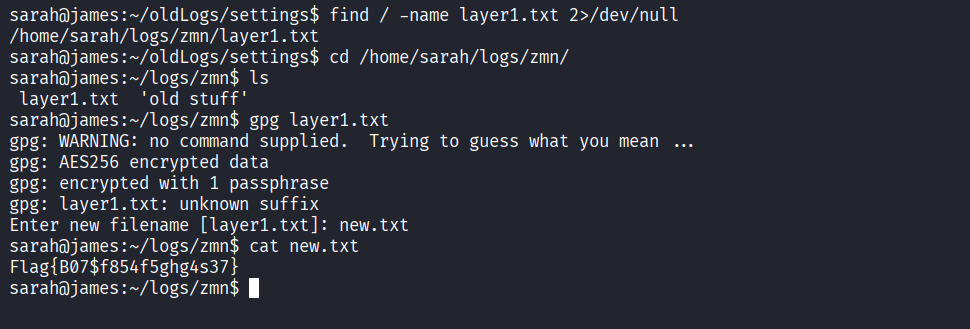 Flag:
Flag: Flag{B07$f854f5ghg4s37}
TASK 7:
- Find an encrypted file called personal.txt.gpg and find a wordlist called data.txt. Use tac to reverse the wordlist before brute-forcing it against the encrypted file. What is the password to the encrypted file?
ANSWER: valamanezivonia
- What is written in this now decrypted file?
ANSWER: getting stronger in linux
TASK 8:
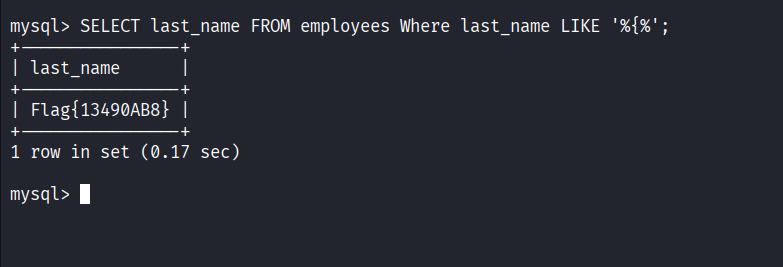
- Find a file called employees.sql and read the SQL database. (Sarah and Sameer can log both into mysql using the password: password). Find the flag contained in one of the tables. What is the flag?
Lets find the
employee.sqlfile first-
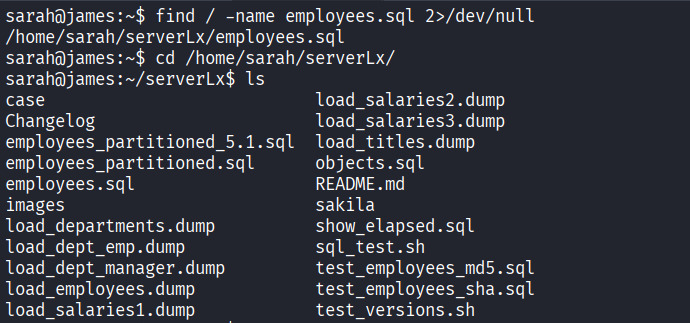
then logged in to sql using given user and password-
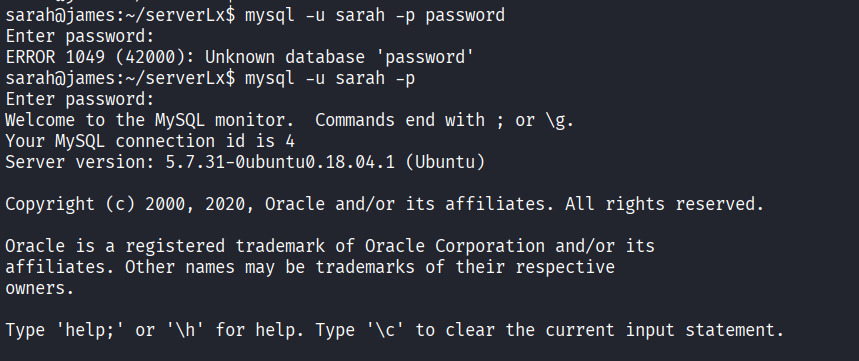 source the employee file-
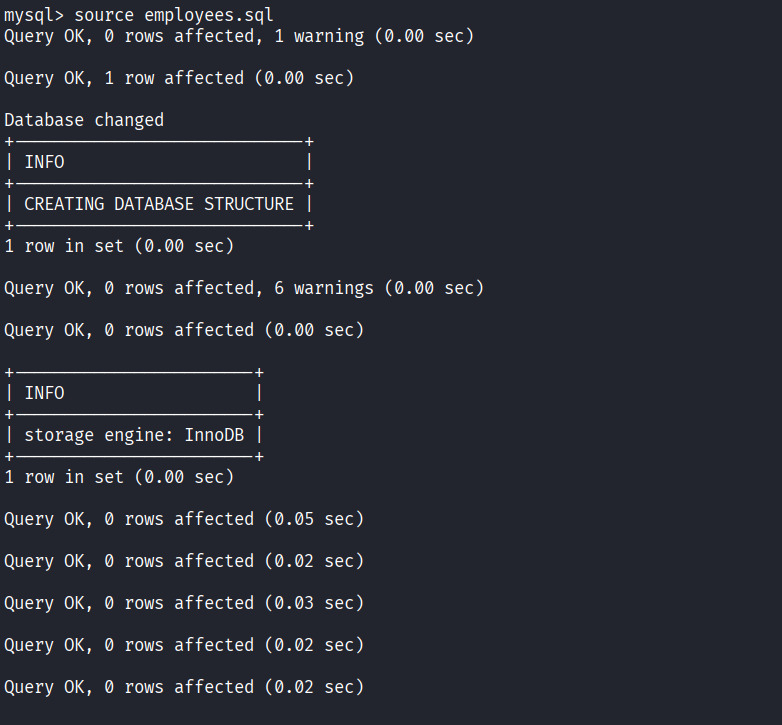 will take a few moment to load the database.
Then choosing a database to view-
will take a few moment to load the database.
Then choosing a database to view-
 Displaying the tables in the selected database-
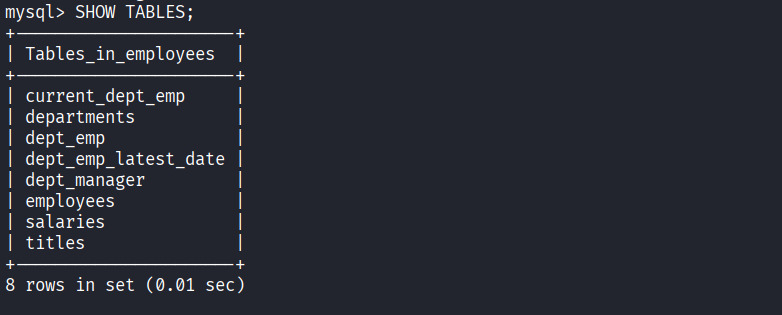 Describing the table data structure-
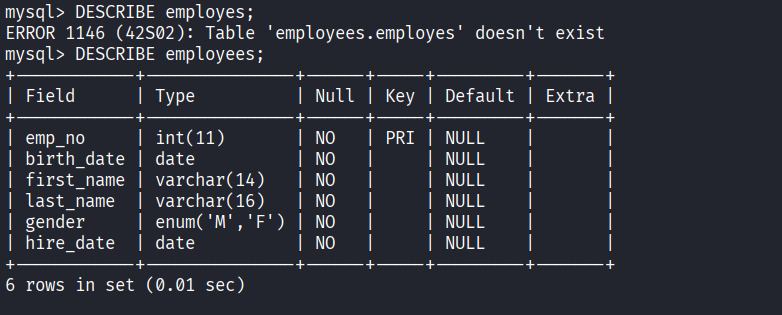
Displaying all the data stored in a specific table, we are looking for Flag-