THM - Room 404
Executive Summary
- Room : Room 404
- Platform: TryHackMe
- Difficulty: Easy
- Category: Web/Directory Enumeration
The Room 404 challenge demonstrates the security risks associated with exposing version control metadata on public web servers. By conducting network scanning and web enumeration, an exposed .git directory was identified on port 8080. Using automated Git dumping tools, the full source code repository was recovered locally. Analyzing the commit history and patch logs revealed sensitive sensitive information, directly leading to flag retrieval.
Enumeration
Reconnaissance & Port Scanning
Initial discovery begins with an aggressive Nmap scan to enumerate running services, versions, and standard scripts on the target machine.
nmap -sV -sC <TARGET_IP>
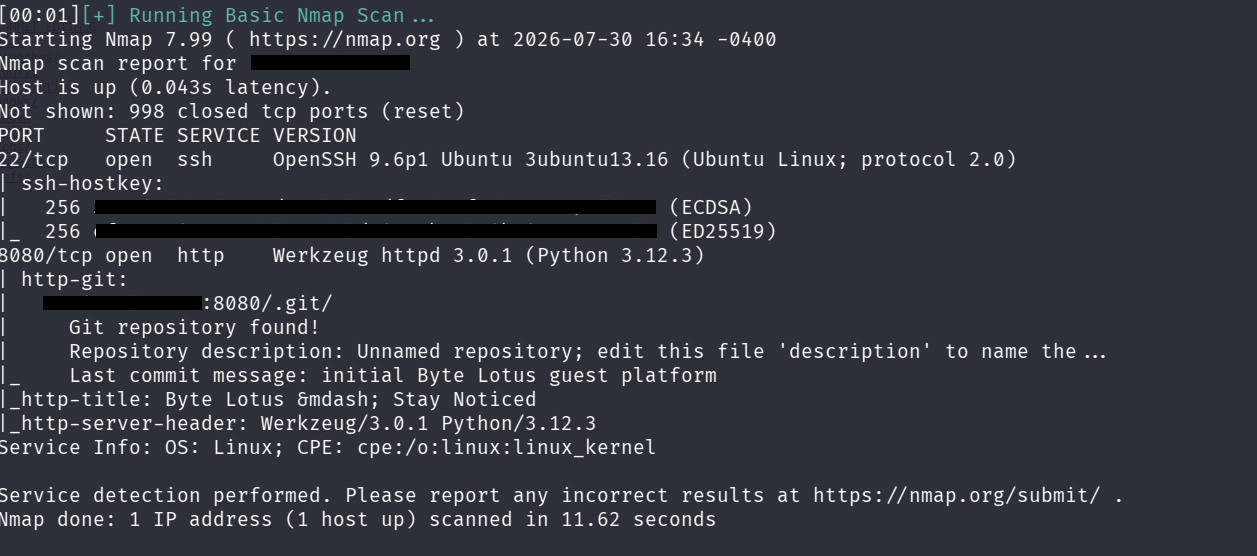
Key Findings:
- SSH is running on standard ports.
- HTTP / Web Server is active on port
8080. - Nmap default scripts identified the presence of an accessible Git repository hosted on the web root.
Web Enumeration & Git Exposure Verification
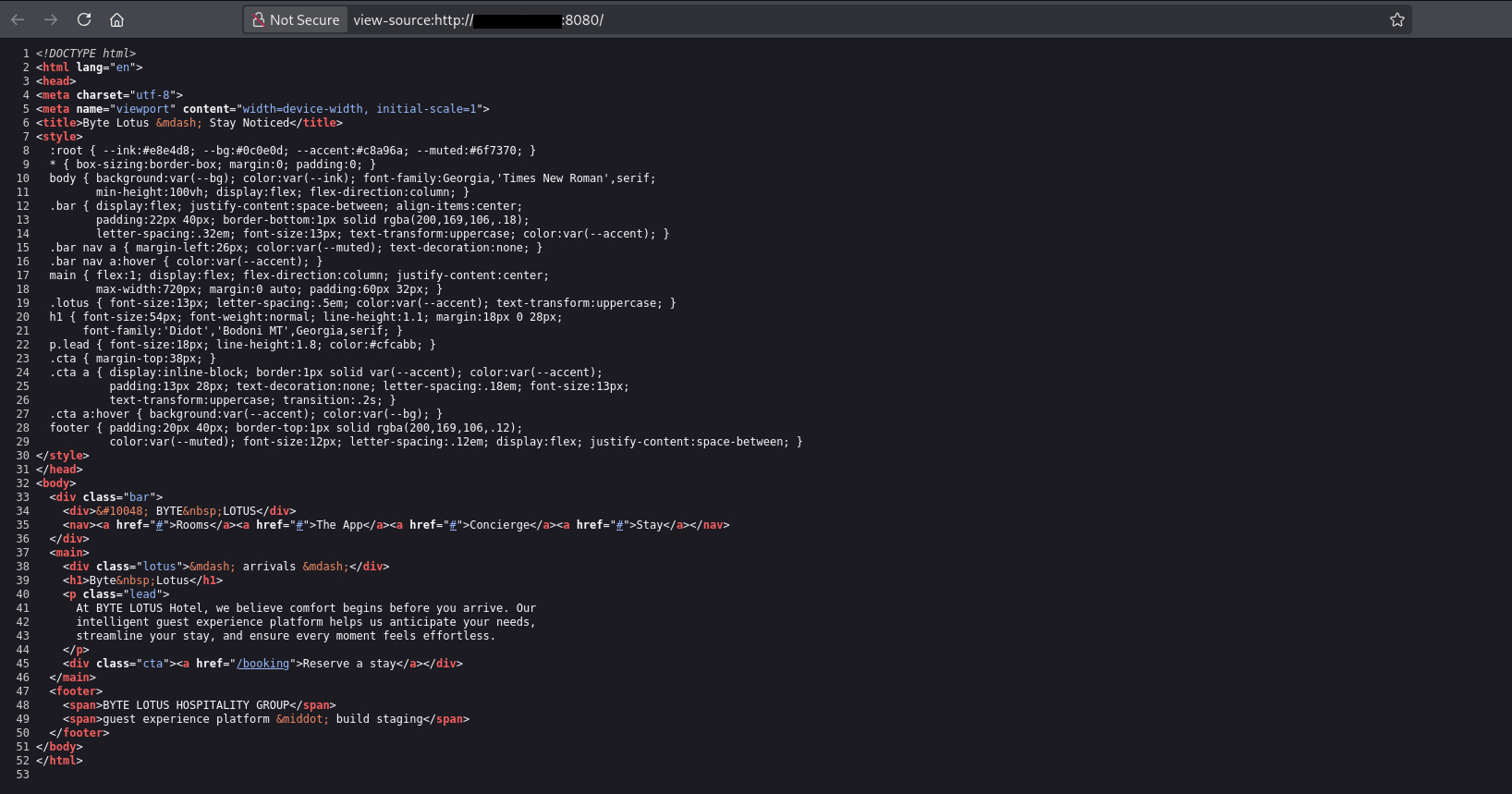
Inspecting the main web application on port 8080 showed standard web content. Checking the raw HTML source code revealed no hidden developer comments.
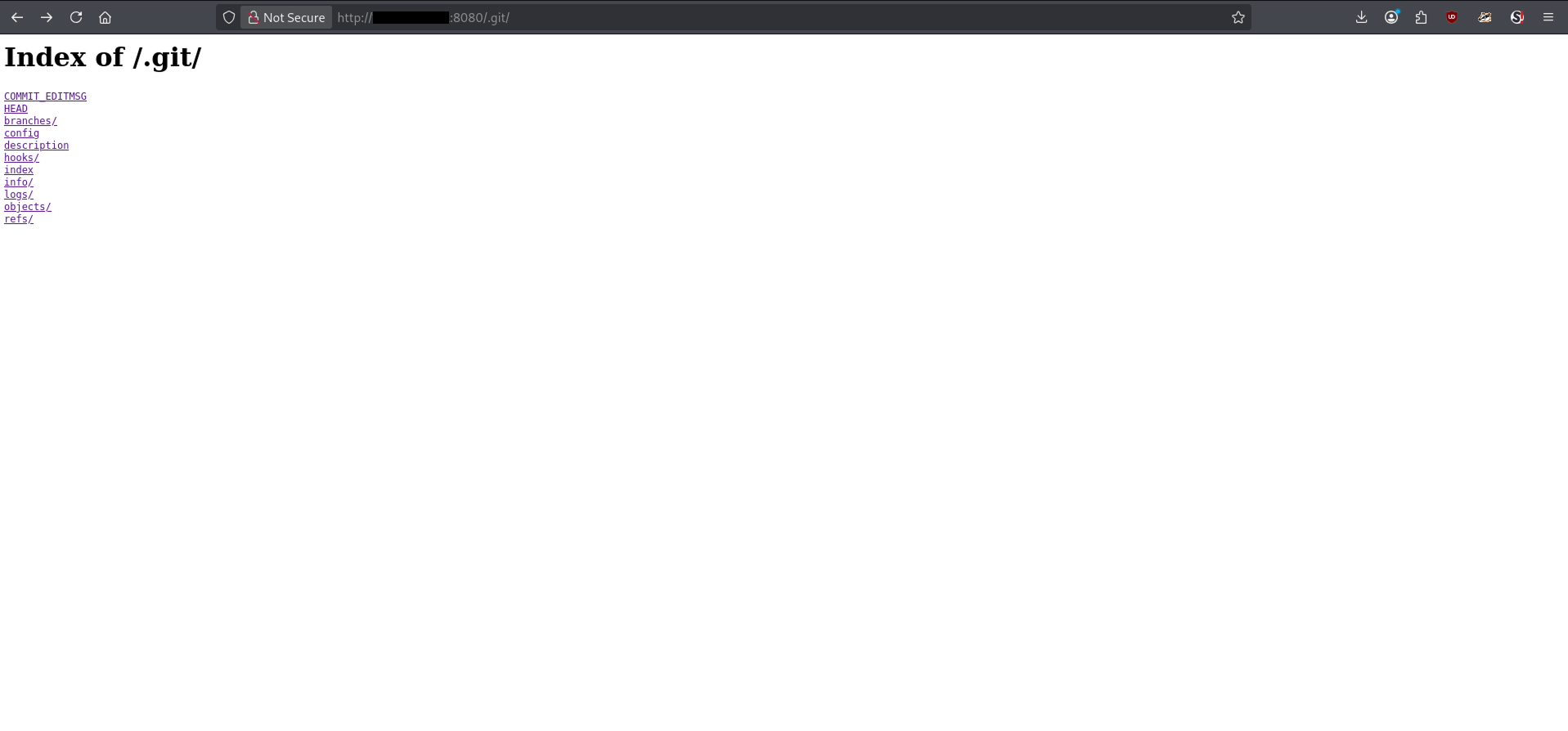
To confirm whether the .git metadata folder was directly accessible via the web server, a curl request was sent to the .git/ endpoint:
curl http://<TARGET_IP>:8080/.git/
The server responded with an HTTP status indicating directory access, confirming that the Git repository directory was publicly reachable.
Source Code Dumping
Because the .git directory structure was fully exposed, the entire repository history could be recreated locally using git-dumper.
- Install
git-dumper(if not already present):
pip install git-dumper
- Dump the remote repository:
git-dumper http://<TARGET_IP>:8080/ ./dump
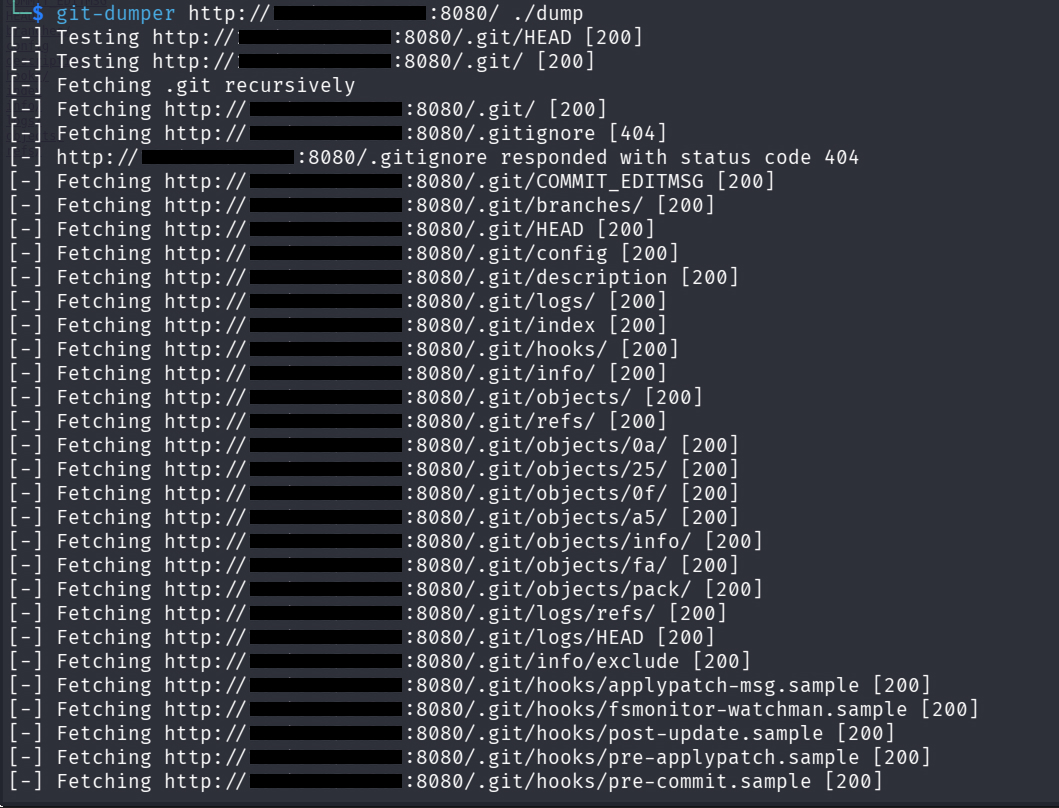
This command pulls down all objects, branches, and commit histories from the remote web server into a local directory named ./dump.
Git Log Analysis & Flag Retrieval
Once the repository content is extracted, navigate into the local repository directory:
cd dump
To review previous changes, commits, and deleted or modified code snippets where sensitive data might reside, inspect the commit history along with patch diffs using git log:
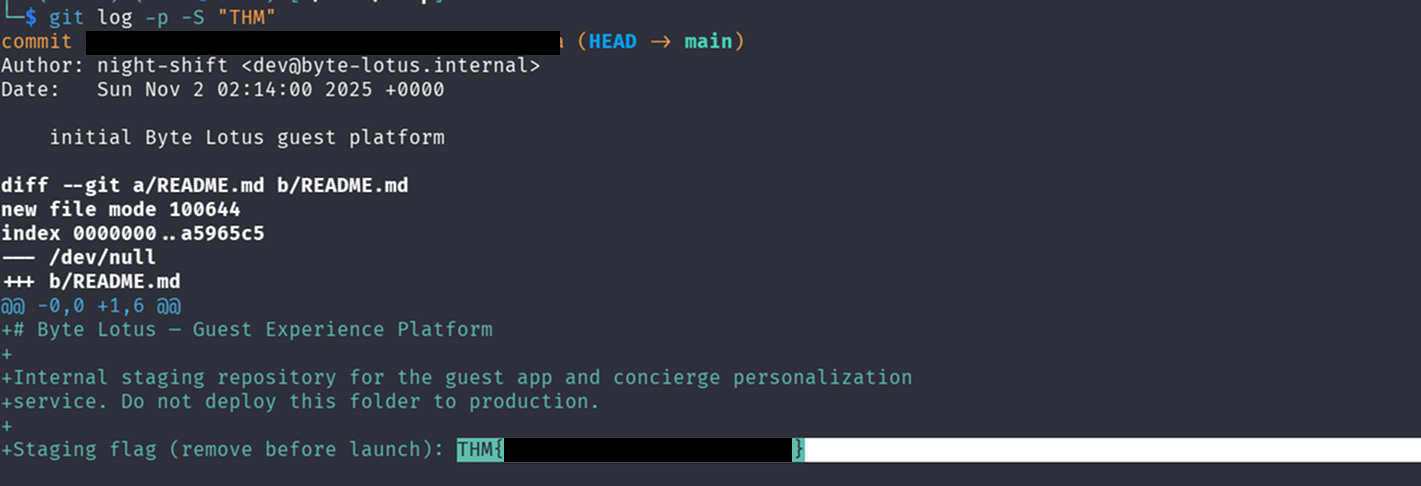
git log -p -S "THM"
Reviewing the detailed patch history (-p) displays the diffs introduced across previous commits, revealing the hidden flag embedded inside the commit history.